
Everything your camp office does, in one place
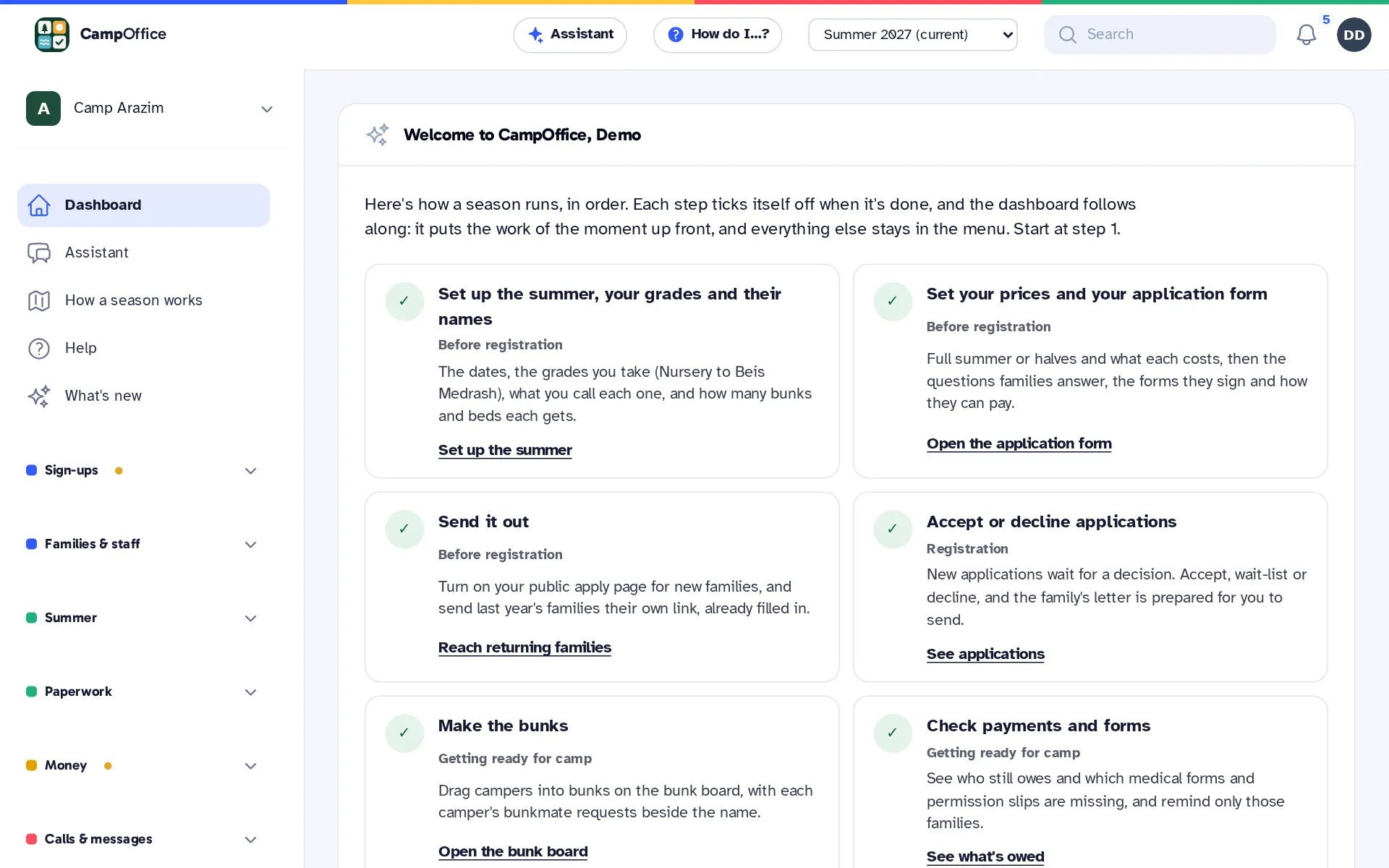
From the first application after Sukkos to the last bus home in August. Every part works with the others, so a family you accept is already on the bunk board, the bus list and the bill.
-
Registration
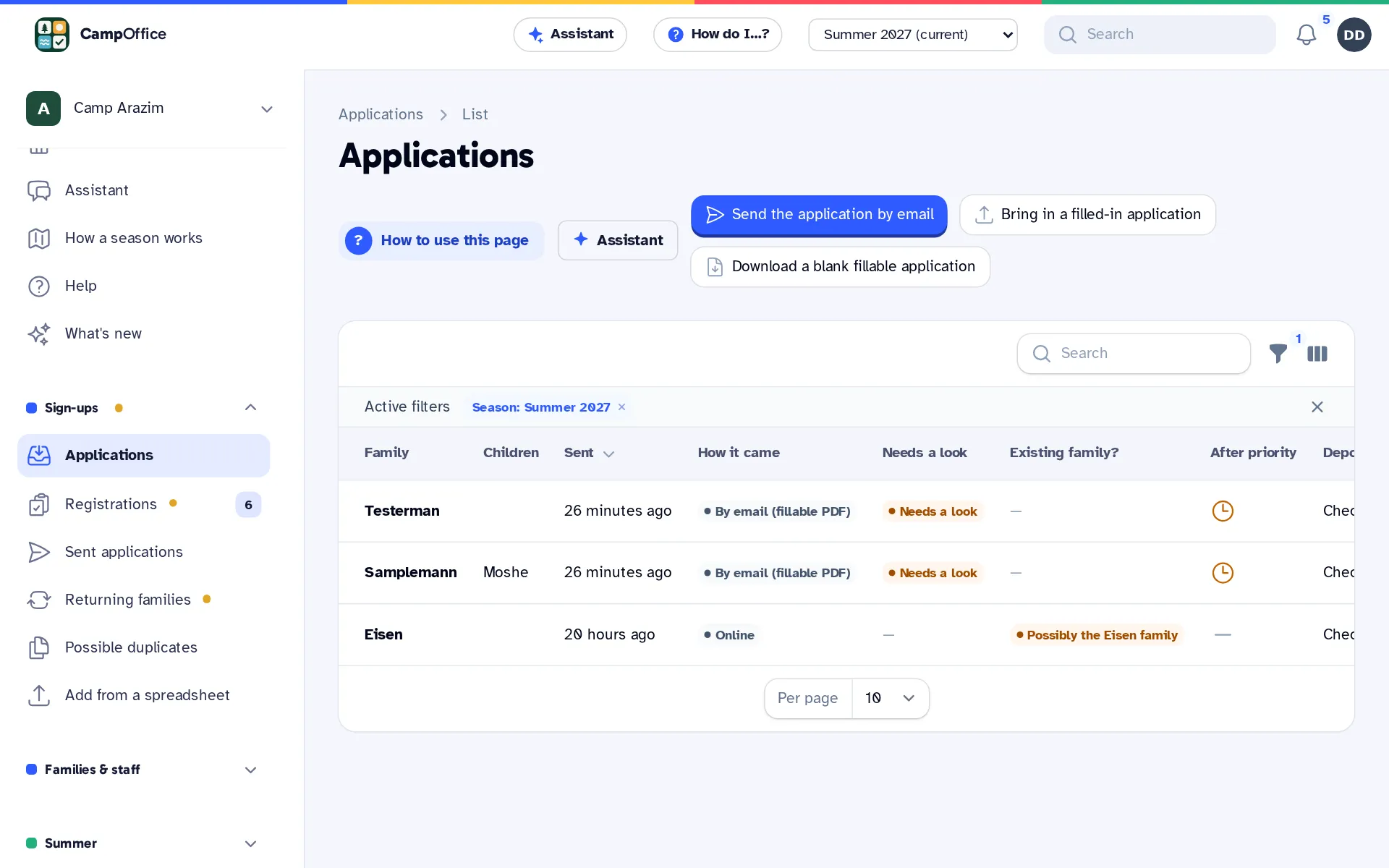
Applications that come in complete
Parents apply online from a private link with no account to make. Returning campers come back filled in, and you accept, wait-list or decline in a few clicks. Paper and PDF applications too.
-
Billing and payments
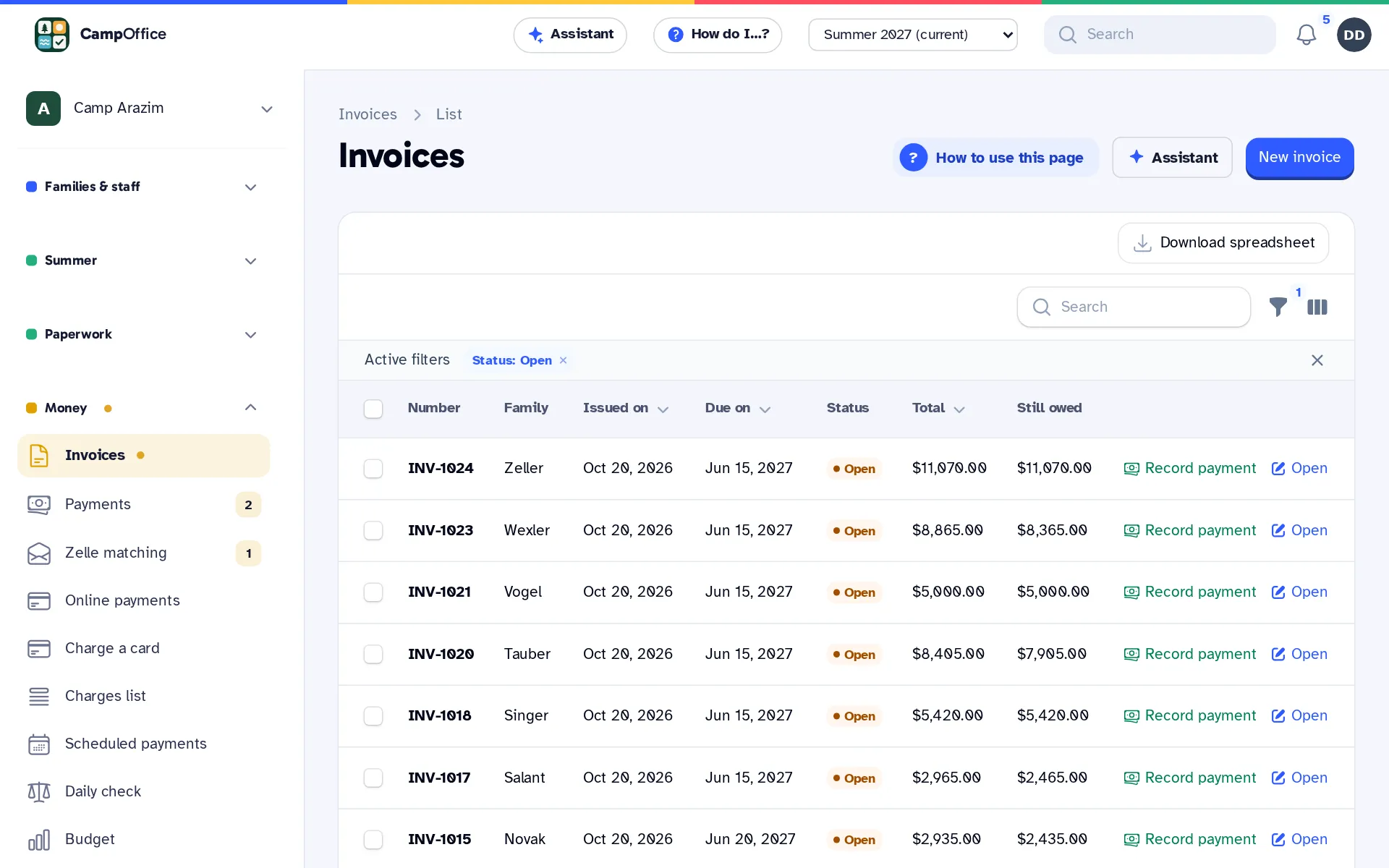
Know who owes what, every day
Invoices from registrations, card and bank payments, payment plans, checks and cash, Zelle matched to the right family, and QuickBooks Online, Desktop or Xero kept in step.
-
Messages and phone
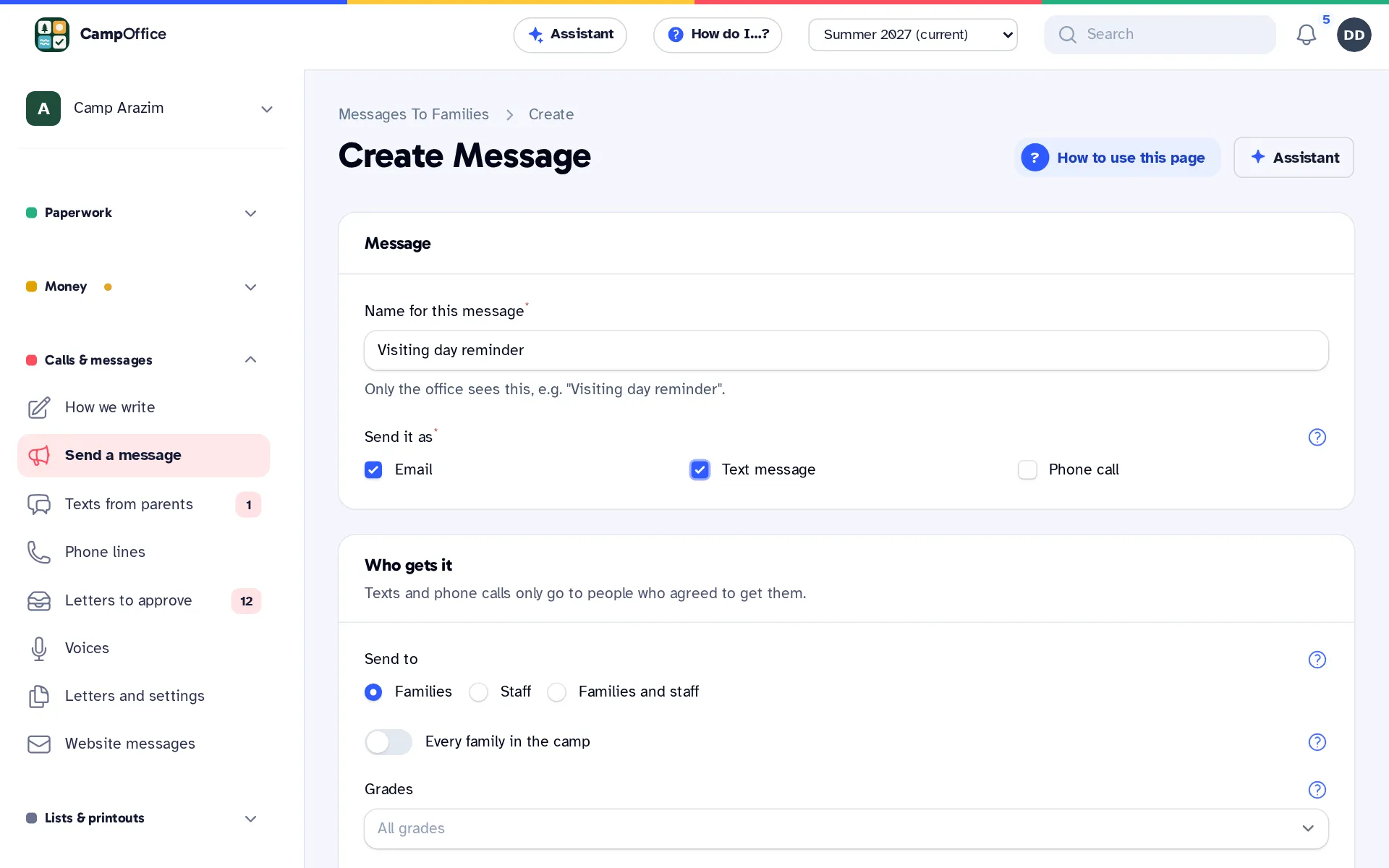
One message reaches every parent
Send one message to every parent by email, text or phone call, approved by a person first. A camp hotline with recorded updates, texts back from parents, and control from your own phone.
-
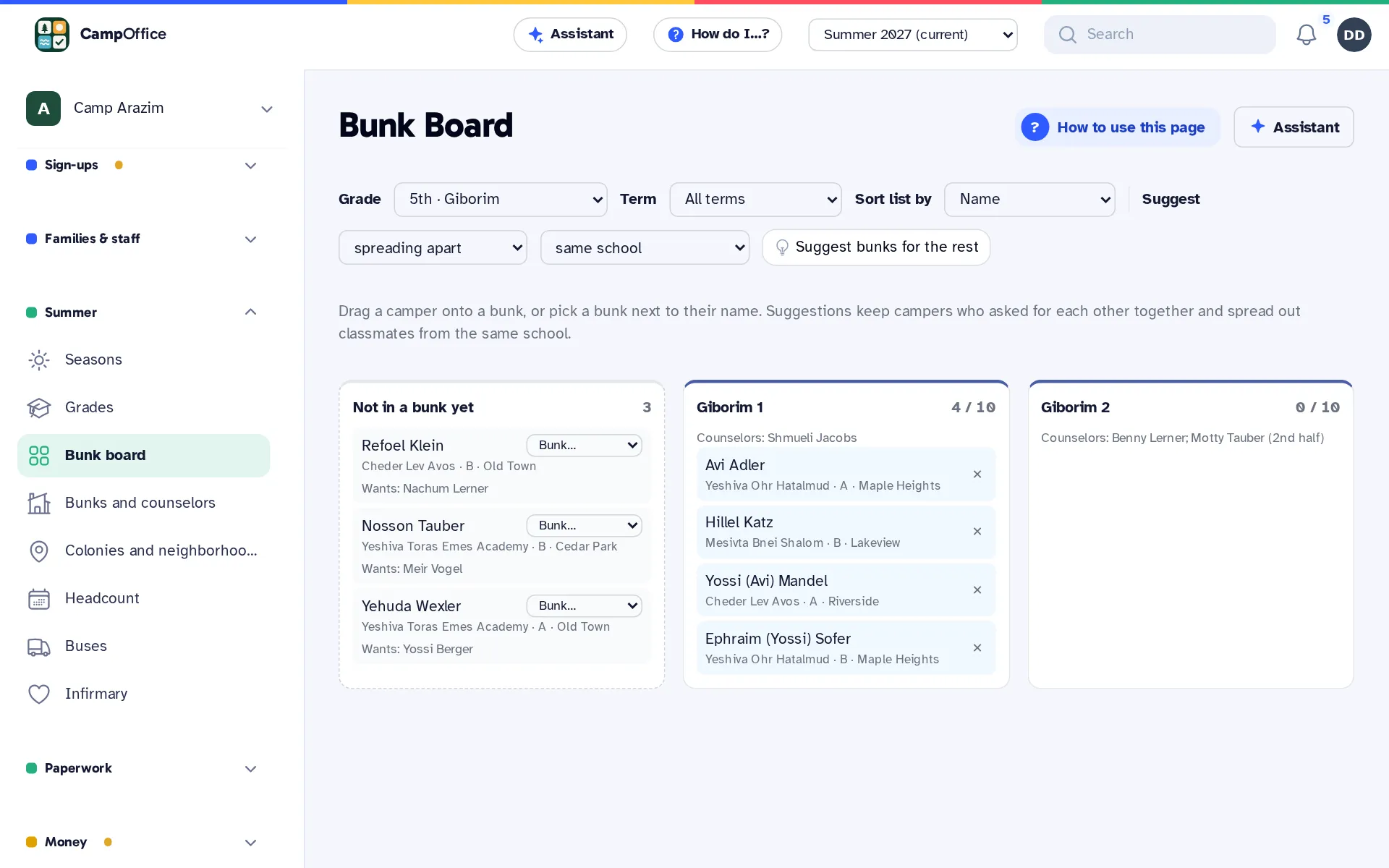
Bunks, buses and staff
Bunks without the whiteboard
A bunk board you drag campers onto, grades with your own names, bus routes from your bus company, a daily headcount, an infirmary log, and staff hiring with references.
-
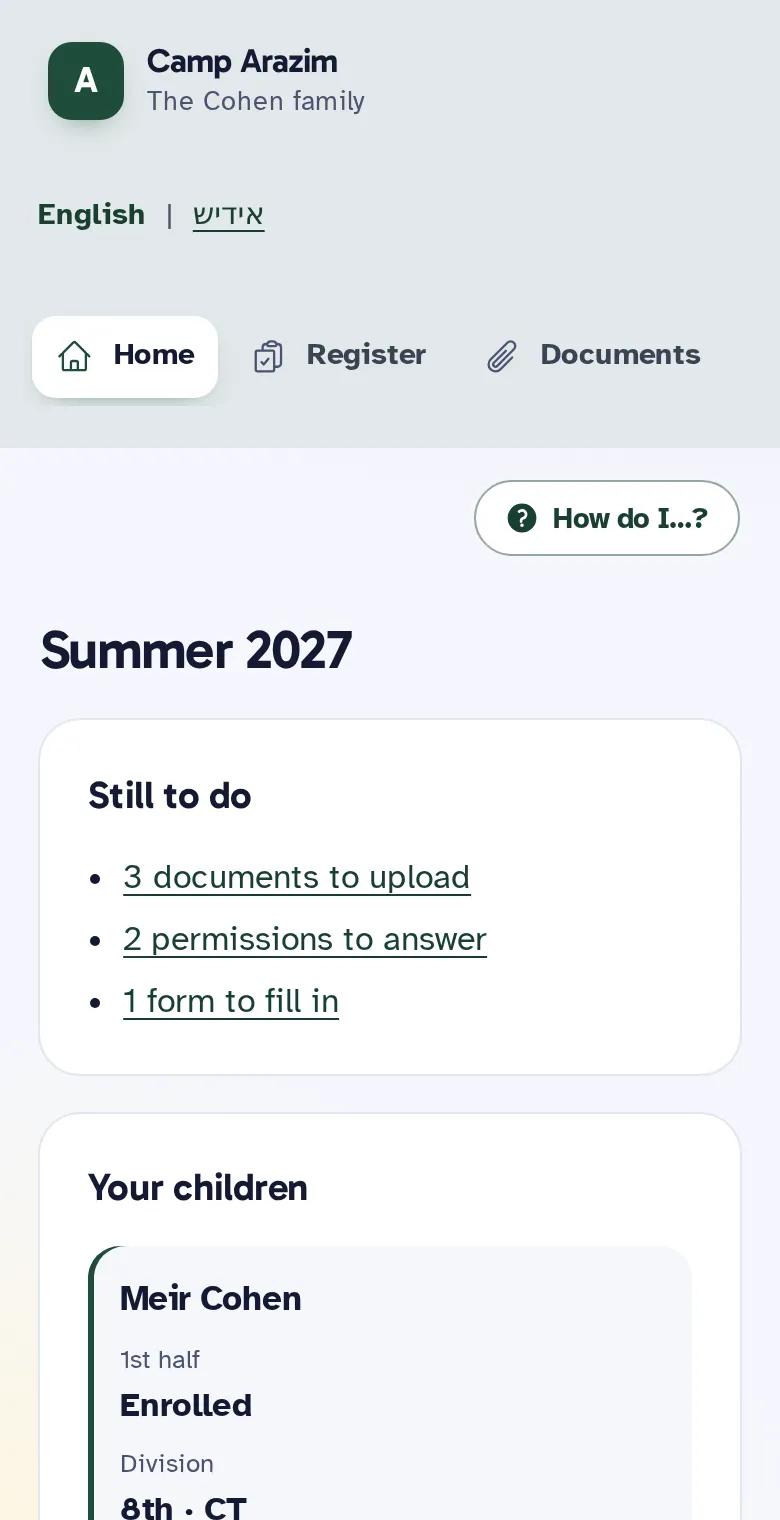
Family pages
A page parents can use without calling the office
Each family gets a private page, with no password, to apply, upload documents, answer permission slips, see invoices and pay. In English or Yiddish, and easy on a phone.
-
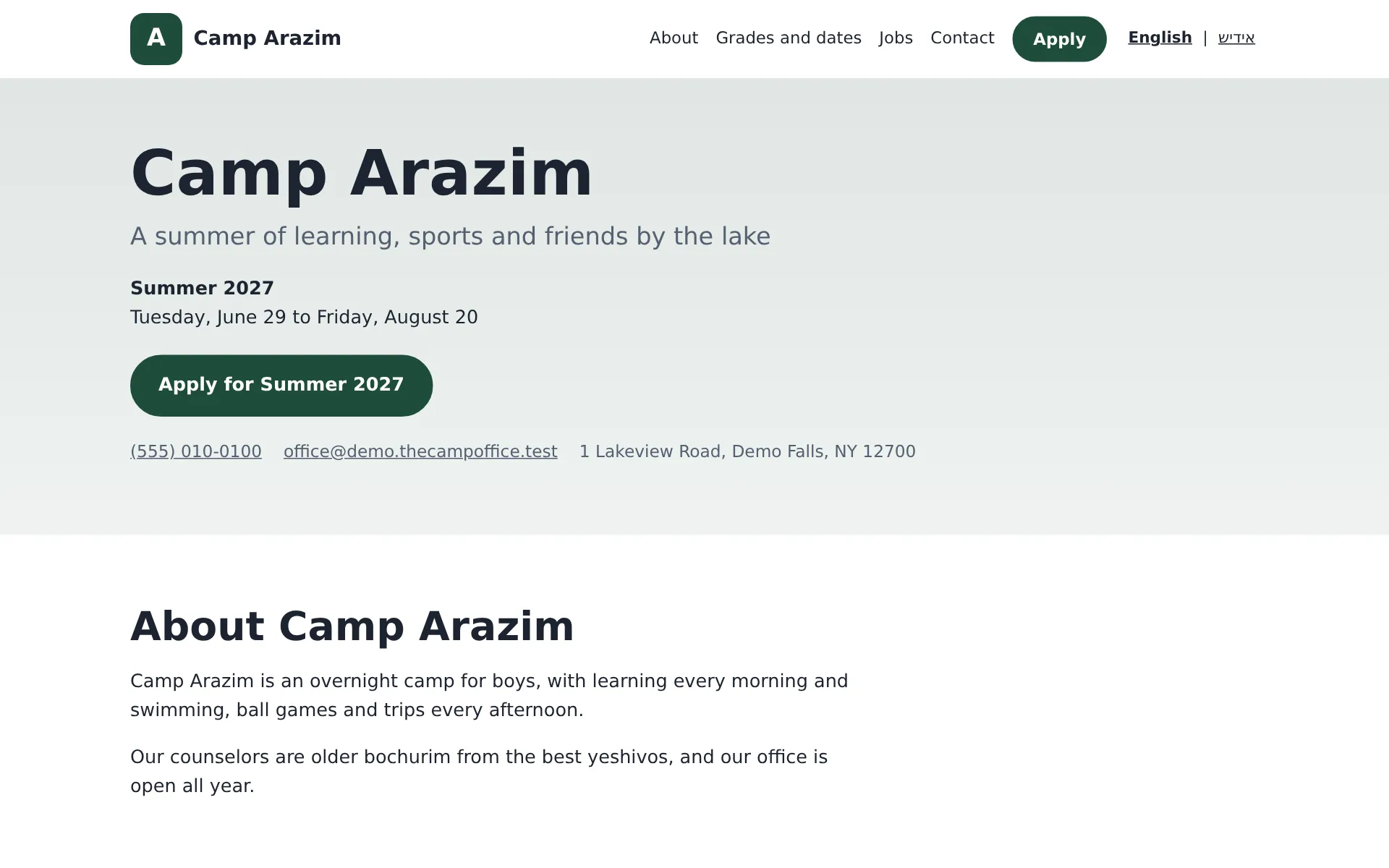
Camp website
A website for your camp, kept up to date for you
Your camp's own website, made in CampOffice: your pictures and words, this summer's grades and dates, the Apply button and a contact form, at your own domain if you have one.
-
Office assistant
Say what you need, and approve it
Ask about your camp in plain words and have messages, invoices and changes prepared for you to approve. Also by text, email or phone call from your own phone.
Everything that comes with CampOffice
Every part below is included in both ways to have it.
One system for the whole year
Applications, bunks, payments, forms, messages and the phone line live in one place, instead of forms, spreadsheets and notebooks kept in step by hand.
Families do the typing
Parents apply, sign, upload and pay on their own page. Returning families start from last year's details, so the office checks instead of retyping.
You always know what is left
Who still owes, which forms are missing and which bunks have room are a click away, and the dashboard puts the job of the moment first.
Set up with you, not left to you
We set it up with your camp and bring in last year's families, and every screen has its steps one click away.
Sign-ups
- An online application with your own questions and a waiver signed on screen
- Returning campers filled in from last year and moved up a grade
- Paper and fillable PDF applications brought into the same list
- Accept, wait-list or decline, with the family's letter prepared for you
- Terms, prices by grade, deposits, add-ons and discounts
- "Pick your dates" sign-up by the day or week for day camps
- Families brought in from any spreadsheet, with possible duplicates flagged
Families and staff
- A page for every family, with no password to forget
- Family pages, the application and letters in English or Yiddish
- A staff list with counselors placed in their bunks
- Staff hiring: a jobs page, references, interviews and offers
- Office sign-ins by role: owner, director, office, bookkeeper, nurse and board
Summer
- Your grades, with your own names, and bunks made for you
- A bunk board: drag campers in, see bunkmate requests, get suggestions
- Headcount of who is here today
- Buses and routes, rider lists and bus sheets for drivers
- An infirmary log for the nurse
- Colonies and neighborhoods for buses and pricing
Paperwork
- Medical forms and other documents, checked off for each camper
- Permissions families agree to, like a photo release
- Forms and permission slips, including your old paper forms brought in
- Printouts: bunk lists, arrival cards, rosters and reports
Money
- Invoices, statements and receipts with your logo
- Card and bank payments online, a card on file and scheduled payments
- Zelle matched to families, plus checks and cash
- Pay by phone, with the family's own phone PIN
- Credits, money back, donations and donation receipts
- QuickBooks Online, Xero or QuickBooks Desktop, once you turn it on
- A daily check of the day's money, and expenses against your budget
Calls and messages
- Email, text or phone call to everyone, a grade, a bunk or a bus
- Recorded calls, or typed words read aloud
- Every message approved by someone in the office before it goes
- Texts and calls only to parents who said yes, never in quiet hours
- Your own camp phone number and hotline
- Replies from parents in one inbox
Website and office tools
- A free website for your camp, at your own domain, with a contact form
- A dashboard that follows the camp year
- The office assistant: ask, and approve what it prepares
- "How to use this page" and "How do I…?" on every screen
- Speak instead of typing, in any box
Some parts, like card payments, texts, phone calls and the assistant, are turned on when your camp is ready for them.
Day camp or overnight camp
Boys or girls, a few dozen campers or several hundred. You set up your own grades, names, terms and bunks.
See it with your own camp in mind
Look around a sample camp with made-up families, or tell us about your camp and we'll show you how it would work for you.